




Completing demat account KYC successfully comes down to a simple principle: the smoother your documents and details align with official records, the faster and smoother every verification step moves. Most applicants who sail through the process in minutes aren’t just lucky — they’ve prepared the right details in advance and know exactly what each stage expects from them. This guide walks through practical, step-by-step guidance for completing your KYC cleanly on the first attempt.
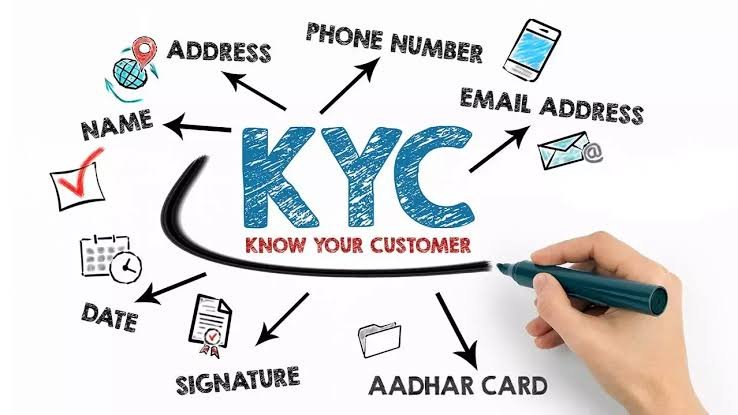
Start With Document Consistency
The single biggest factor in a smooth KYC experience is making sure your identity details line up exactly across every document you use.
- Check that your name appears identically on your PAN, Aadhaar and bank account, including spelling, spacing, and whether your middle name or initials are included or left out.
- Confirm your date of birth matches across all documents, since even a small typo in one record can cause a mismatch flag during automated verification.
- Verify your Aadhaar address is current, especially if you’ve moved recently, since this is the address that gets pulled directly into your KYC record.
- If you notice any inconsistency before you even begin, it’s worth correcting it with the relevant issuing authority first, since this single step prevents the majority of delays people experience.
Prepare Your Mobile Number and Email in Advance
Several steps in the KYC process depend entirely on real-time access to your registered contact details.
- Make sure your Aadhaar is linked to a mobile number you currently have and carry with you, since the e-KYC step relies on an OTP sent to this exact number.
- Keep your phone charged and nearby throughout the application, since the process moves through several steps in sequence and an OTP delay can interrupt your flow.
- Use an email address you check regularly, since brokers often send confirmation links, application status updates, and your final account activation details here.
- If your Aadhaar-linked number has changed recently, update it with UIDAI before starting your application, since this can’t be fixed within the broker’s own system.
Get Your PAN and Aadhaar Ready First
These two documents anchor almost everything else in the KYC process, so having them genuinely ready — not just somewhere in a drawer — saves real time.
- Keep a clear, well-lit photo or scan of your PAN card ready to upload, since a blurry image is one of the most common reasons this step needs a retry.
- Have your Aadhaar number memorized or easily accessible, since you’ll need to enter it accurately for the e-KYC process to proceed.
- Double-check both documents are currently valid and not expired or under any correction process, since an active, unrestricted document moves through verification far more smoothly.
- If you’re applying through a laptop and a phone simultaneously for different steps, make sure both devices have access to these documents, so you’re not switching back and forth mid-process.
Choose the Fastest Bank Verification Method Available
Bank account verification can either be nearly instant or add a day or two, depending entirely on which method you choose.
- Opt for instant verification through net banking or UPI wherever your broker offers it, since this confirms your account in real time without needing manual review.
- If you’re uploading a cancelled cheque or bank statement instead, make sure the image is clear and that your name, account number and IFSC code are all fully legible.
- Use a bank account where your name matches your PAN and Aadhaar exactly, since any variation here is one of the more common reasons this specific step gets paused.
- Pick an account you plan to use long-term, since changing your linked bank account later involves going through a similar verification step again.
Set Up for a Smooth In-Person Verification
The live video or selfie step is quick, but a little preparation makes it effortless rather than something you need to repeat.
- Find a quiet, well-lit space before you begin, ideally with light facing you rather than behind you, since lighting quality directly affects how clearly the system can confirm your identity.
- Have your PAN card within reach, since many brokers ask you to hold it visibly during the recording.
- Remove sunglasses or anything covering your face, and make sure your full face is clearly visible throughout the recording.
- Speak clearly if you’re asked to read a code aloud, in a space without background noise, so both the audio and video come through cleanly.
Decide Your Nominee Details Before You Begin
Nomination is now a mandatory part of the process, and having this sorted in advance keeps your application moving without a pause near the end.
- Choose your nominee and have their full name, relationship to you, and ID proof ready, typically their PAN or Aadhaar number.
- Decide on percentage allocation in advance if you’re naming more than one nominee, since most platforms let you split your holdings across multiple people.
- If you’d prefer not to name a nominee, be ready to complete the formal opt-out declaration, since most brokers require an active choice rather than leaving the field blank.
- Having this decided ahead of time means you won’t need to pause your application midway to gather a nominee’s details.
Know What to Do If a Step Doesn’t Go Through Smoothly
Even with good preparation, an occasional hiccup is normal, and knowing how to respond keeps things moving.
- If your document upload is rejected, simply retake the photo in better lighting and try again, since this is usually a quick fix rather than a sign of a deeper issue.
- If your OTP doesn’t arrive, check that you’re using the correct Aadhaar-linked number and that you have mobile signal, then request the OTP again after a short wait.
- If your live video verification needs a retry, move to a better-lit space and make sure your internet connection is stable before attempting it again.
- If your application shows as “under review” for longer than expected, reach out to your broker’s support team with your application reference number, since they can usually tell you exactly what’s pending.
Keep Your Information Updated After Approval
Successfully completing KYC isn’t just about the initial approval — keeping your details current protects you going forward.
- Update your mobile number and email promptly with your broker if either ever changes, since these are how you’ll receive important account notifications.
- Review your nominee details periodically, especially after any major life change, and update them through your broker’s platform as needed.
- Keep a note of your KYC status, since this record is shared with a central KYC Registration Agency and can make opening additional accounts with other brokers faster in the future.
- Respond promptly to any periodic KYC update requests from your broker, since regulations occasionally require refreshed verification to keep your account details current.
A Simple Checklist Before You Begin
Running through this short list before you open the application form sets you up for a smooth, uninterrupted process from start to finish.
- Clear, valid PAN and Aadhaar with matching names and dates of birth.
- Aadhaar linked to your current, active mobile number.
- A bank account ready for instant verification, with your name matching exactly.
- A quiet, well-lit space available for the live video step.
- Nominee details decided, or your opt-out choice ready.
- A stable internet connection throughout.
Frequently Asked Questions
Q1. What’s the single most important thing I can do to avoid delays during KYC?
Making sure your name and date of birth are identical across your PAN, Aadhaar and bank account is the single most effective step, since this consistency is what allows nearly every verification check to pass automatically without needing manual review.
Q2. Can I complete my KYC in multiple sittings, or should I finish it all at once?
It’s best to complete it in one sitting where possible, since some steps like OTP verification are time-sensitive, and picking the process back up later sometimes means repeating a step that had already timed out.
Q3. What should I do if I don’t have a nominee I want to name right now?
You can formally choose to opt out of naming a nominee, which most brokers allow as an active, written declaration rather than simply leaving the field blank, and you’re free to add a nominee later if you change your mind.
Q4. Is it possible to fix a document mismatch issue without restarting the entire application?
In most cases yes — if a specific document like your PAN photo or bank proof is unclear, you can simply re-upload a corrected version for that particular step without needing to start the whole application over from the beginning.